> ## Documentation Index
> Fetch the complete documentation index at: https://docs.baseplate.ai/llms.txt
> Use this file to discover all available pages before exploring further.
# 🚀 Create an Endpoint
> Share your work with the world
You can deploy LLM backends directly from Baseplate. Set up an endpoint once
in your code, and you're good to go!
The worst part of prototyping great LLM apps is having to reimplement them again
in your codebase. Baseplate Endpoints makes sure you never have to do that
again!
Each endpoint has an ID that you will use as a reference in your code.
## Why do it this way?
* Prototyping in code is slow, difficult, and annoying. Setting up new versions
in a nice UI can speed up workflows greatly
* Easy to run tests and experiments different variants
* Monitor and manage in a single place
* Our endpoints are performance optimized and run on the edge
## Create an Endpoint
Go to the Endpoints page and create an Endpoint. See the previous page on how to deploy versions of an app.
### Deployments
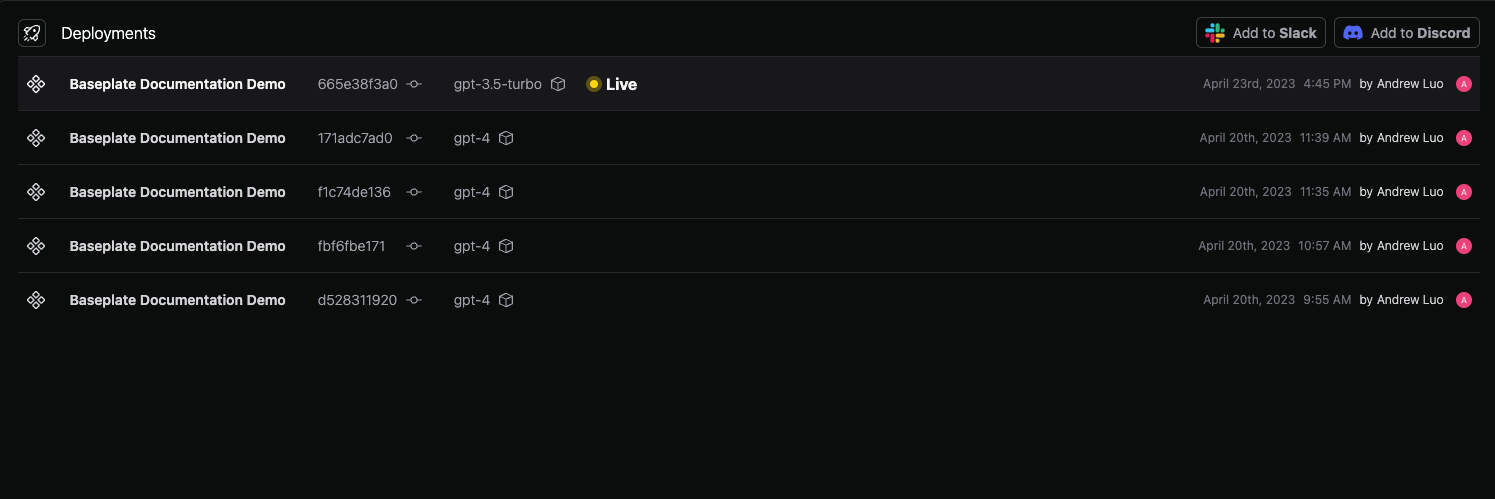
View a history of who deployed what and when. You can also deploy endpoints directly to Slack or Discord as a bot by clicking one of the buttons in the top right.
### API
The API tab will show you code examples for calling the endpoint from your code.
### Security
Automatically handle PII in your data. Baseplate will automatically remove PII from your data before it is sent to AI providers, and we never store it on our servers.
 ### Deployments
View a history of who deployed what and when. You can also deploy endpoints directly to Slack or Discord as a bot by clicking one of the buttons in the top right.
### Deployments
View a history of who deployed what and when. You can also deploy endpoints directly to Slack or Discord as a bot by clicking one of the buttons in the top right.
 ### API
The API tab will show you code examples for calling the endpoint from your code.
### Security
Automatically handle PII in your data. Baseplate will automatically remove PII from your data before it is sent to AI providers, and we never store it on our servers.
### API
The API tab will show you code examples for calling the endpoint from your code.
### Security
Automatically handle PII in your data. Baseplate will automatically remove PII from your data before it is sent to AI providers, and we never store it on our servers.
